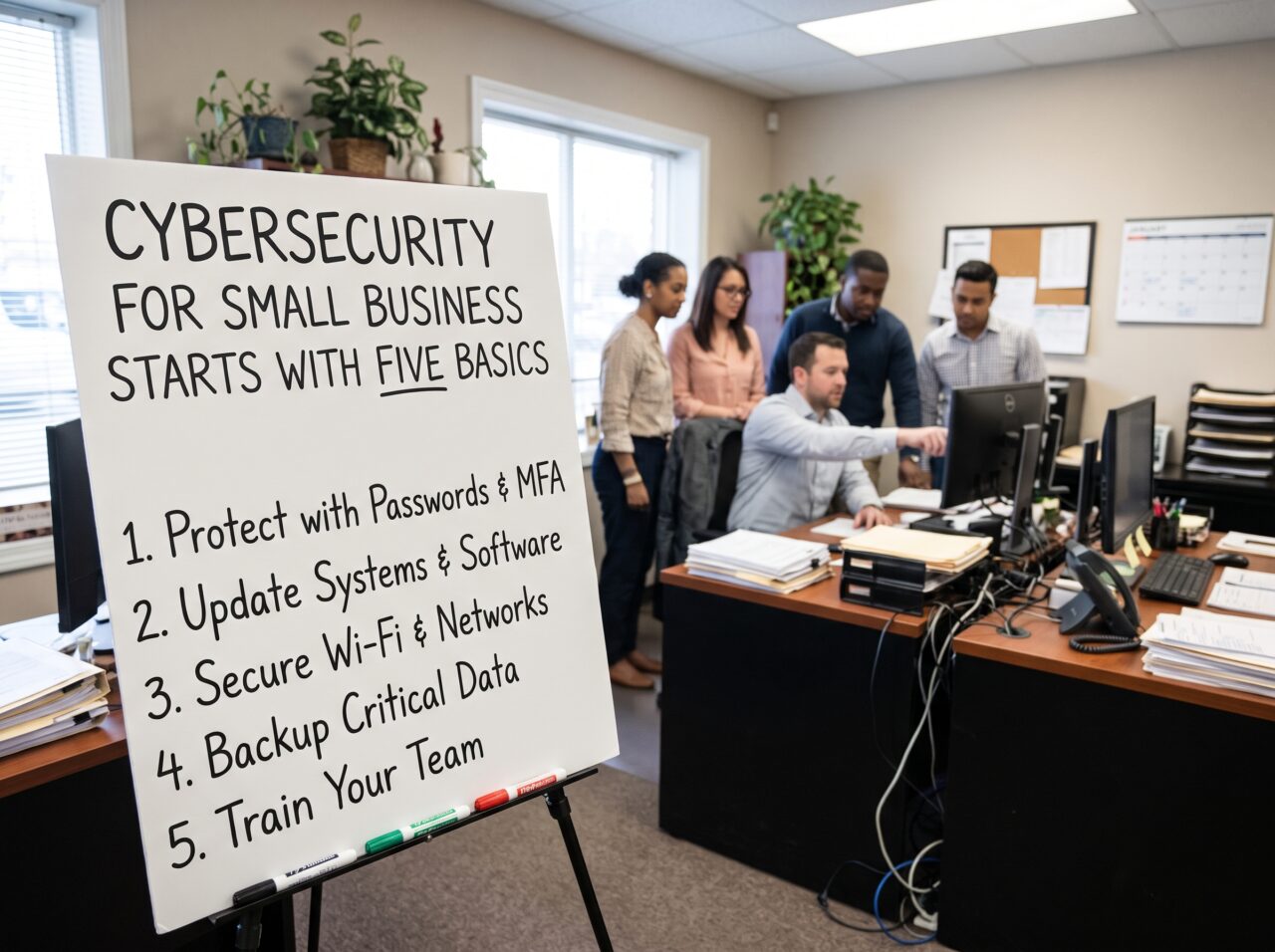
The first question I hear from almost every new client about cybersecurity for small business is not about firewalls or ransomware gangs. It is some version of this: “Are we really big enough for anyone to bother with?”
I understand why people ask. If you run a twelve person accounting practice or a family owned distribution company, it is hard to picture a criminal crew somewhere overseas circling your business on a map. But that picture is wrong, and it has been wrong for years. Attackers rarely pick you. They find you. Automated scans hunt for unpatched servers, stolen password lists change hands cheaply, and millions of fake invoices go out hoping a few land on the desk of someone who is busy and trusting. Size does not hide you. If anything, it makes you easier.
After years of sitting across the table from owners, office managers and the one employee who “knows computers,” I have come to a simple conclusion. Cybersecurity for small business is not a technology problem first. It is a habits problem. And the habits that matter most are surprisingly few. I am going to walk you through the five I put in front of every client before we spend a single dollar on anything fancy.
Why the Basics of Cybersecurity for Small Business Still Win
Let me give you the numbers that shape how I advise people, because I do not want you taking my word for it.
Verizon publishes one of the most respected breach studies in the industry every year. The 2026 Data Breach Investigations Report found that exploiting software vulnerabilities has now overtaken stolen credentials as the most common way attackers get in, with ransomware showing up in nearly half of all breaches studied. According to a breakdown of the 2026 findings from eSecurity Planet, small and midsize businesses made up roughly 96 percent of ransomware victims where the size of the organization was known. The year before, the report showed ransomware in 88 percent of breaches at smaller organizations compared with 39 percent at larger ones, a gap Infosecurity Magazine covered in detail.
Then there is fraud that never touches malware at all. The FBI’s Internet Crime Complaint Center reported $16.6 billion in losses for 2024, and business email compromise alone accounted for about $2.77 billion, as Nacha summarized from the IC3 annual report. That is the scam where someone pretends to be your vendor, your CEO or your title company and asks for money to go somewhere new.
The Way In Is Usually Boring
Here is what jumps out at me when I read those reports. The way in is almost always boring. A missing update. Maybe a reused password, or a wire transfer nobody called to confirm. None of that requires a six figure security budget to fix. It requires attention.
That is also why the government agencies that advise small firms keep landing on the same short list. The CISA Cyber Essentials guide frames security as a leadership responsibility and points owners toward backups, strong authentication, updates and staff awareness. The FTC built its Cybersecurity for Small Business materials with NIST, the SBA and Homeland Security, and they read like a checklist I could have written for a client last week.
So let us get into the five.
Basic One: Put a Second Lock on Every Account That Matters
If you only do one thing after reading this, turn on multifactor authentication. Some people call it two step verification. It means that logging in takes your password plus something else, usually a code from an app on your phone or a physical security key.
Microsoft studied this years ago and found that accounts using it were more than 99.9 percent less likely to be compromised, a finding the company laid out on its security blog. Attackers have gotten more creative since then, and no control is perfect, but I still have not found a cheaper or faster way to cut risk.
Where I tell clients to start, in this order:
- Email. Your email account is the master key to everything else. Every password reset for your bank, your payroll system and your cloud storage goes there. If someone owns your inbox, they own your business.
- Banking and payment platforms. Anything that can move money.
- Payroll and accounting software. These hold employee data and bank details, whether you run payroll yourself or through a PEO or HR outsourcing firm.
- Cloud storage and file sharing. Where your contracts and client files live.
- Admin accounts for your website, domain and hosting. People forget these until their site gets defaced or their domain gets transferred away.
Practical Notes on Rolling It Out
A few practical notes from the field. Use an authenticator app or a hardware key rather than text messages when the service allows it. Text codes are better than nothing, but they can be intercepted through SIM swapping. Also, make sure the owner’s account is protected first. I have lost count of the times a business rolled out multifactor to all staff and quietly exempted the owner because they “travel a lot.” The owner’s account is the one attackers want most.
Pair this with a password manager. I do not care which reputable one you choose. What matters is that every account gets a unique, long password that nobody has to remember. Reused passwords are how one breach at some random shopping site turns into a breach at your company.
Basic Two: Update Faster Than the People Scanning for You
The newest Verizon data changed how I talk about patching. When software flaws become the top way attackers get in, the speed of your updates is no longer a chore. It is a security control.
Reporting from Insurance Journal on the 2026 report made the point plainly: organizations are not patching fast enough, and attackers are moving quicker, partly with help from AI tools that speed up their work.
The trouble in small offices is rarely that nobody cares. It is that nobody owns it, and the gaps tend to show up later as recurring help desk tickets. Laptops update when someone finally clicks “restart.” The router in the supply closet has not been touched since the internet provider installed it. Meanwhile, the old desktop running the label printer is still on an operating system that stopped getting security fixes years ago.
A Monthly Patching Routine for Small Business Cybersecurity
Here is the routine I set up for clients:
- Turn on automatic updates for operating systems, browsers and common software on every computer and phone that touches business data.
- Pick one person and one day. Once a month, that person confirms updates actually installed and reboots anything that is stuck.
- Do not forget the boring hardware. Routers, firewalls, printers, network storage boxes and security cameras all run software. They all need updates. Many ship with default passwords that should have been changed on day one.
- Retire what cannot be fixed. If a device or program no longer gets security updates from its maker, it needs a replacement plan with a date attached. Not someday. A date.
- Watch anything facing the internet. Remote access tools, VPN appliances and email servers are the first things attackers probe. If you have any of these, they get patched first, ideally within days of a critical fix being released.
I once worked with a small engineering firm that had excellent staff training and solid backups. What nearly sank them was a remote access appliance nobody had updated in over a year. It was sitting on the internet with a known flaw, and it took an automated scanner about as long to find it as it takes you to read this paragraph. Good habits in one area do not cover a gap in another.
Basic Three: Back Up Like You Will Need It Tomorrow
In cybersecurity for small business, backups are the difference between a bad week and a closed business. When ransomware locks your files, the question every owner asks me is whether they have to pay. If your backups are good, the answer is almost always no.
The phrase I use with clients is “a backup you have never restored is a rumor.” I mean that. I have walked into offices where the backup software showed green checkmarks for months, and when we tried to recover a folder, the files were empty, corrupted or missing the one system the business could not live without.
What a Sound Backup Setup Looks Like
What a sound setup looks like for most small firms:
- Three copies of anything important, on at least two different kinds of storage, with one copy kept offsite or offline. That last part matters most. Modern ransomware looks for connected backup drives and encrypts them too.
- Cloud services need backups as well. People assume Microsoft or Google is backing up their email and files in a way that protects them. Those platforms keep services running, but a deleted mailbox or a mass encryption event can still leave you stuck. A separate backup of your cloud data is worth the modest monthly cost.
- Separate credentials for backups. The account that manages your backups should not be the same everyday account that reads email. If an attacker gets one, they should not get both.
- Test restores on a calendar. Every quarter, pick a few files and one full system, and actually bring them back. Time how long it takes. That number becomes the honest answer to “how long would we be down?”
There is a quieter benefit here too. Once owners know their backups work, they stop treating every suspicious email as a potential disaster. They make calmer decisions. That alone is worth something.
Basic Four: Know What You Own and Who Holds the Keys
You cannot protect what you do not know you have. The NIST Small Business Cybersecurity Corner starts its guidance with identifying your assets for exactly this reason, and Canadian and Australian agencies say the same.
When I ask a new client for a list of their devices, accounts and software, the first draft is usually missing about a third of what is actually out there. There is the former employee’s laptop in a desk drawer. Or the free file sharing account a project manager set up three years ago. And the marketing tool that still has access to the customer list.
Build a simple inventory of your whole tech stack. A spreadsheet is fine. Track:
- Every computer, phone and tablet that touches business data, and who uses it
- Every cloud service or app the business pays for or relies on
- Who has administrator rights, and why
- Which outside vendors can access your systems or data
Tighten Access and Offboarding
Then deal with access. Most staff do not need administrator rights on their own computers. Removing those rights blocks a large share of malware from installing itself, and it is free. Give admin access only to the people who truly need it, and have them use a separate admin account for that work rather than their daily login.
Offboarding is where small businesses get burned most often. When someone leaves, their accounts should be disabled the same day, shared passwords they knew should be changed, and company devices collected. Write those steps into standard operating procedures people actually follow so they happen every time. I have seen former staff log into client portals months after they left, sometimes innocently, sometimes not.
And look hard at your vendors. The 2026 Verizon findings noted that third parties were involved in a much larger share of breaches than the year before. Your IT provider, your payroll company and your software vendors all hold some of your keys, which makes security part of vendor management. Ask them a few direct questions. Do they use multifactor on accounts that access your systems? How would they tell you if they were breached? If they cannot answer clearly, that tells you something.
Basic Five: Train for the Phone Call and the Invoice, Not Just the Email
Most small business cybersecurity training I see is a once a year video about suspicious links. That is better than nothing, but it trains people for the attack of five years ago.
Today’s scams are sharper. An email looks like it came from your actual vendor because it did, from their hacked account. The voice on the phone sounds like your owner because AI voice tools are cheap now. A text message says the CEO is in a meeting and needs gift cards for a client. These succeed not because employees are careless, but because they are helpful and busy, which is exactly the type of person you want working for you.
Rules That Hold Up Under Pressure
So I focus training on a few rules that hold up no matter how convincing the message is:
- Any change to payment details gets verified by phone, using a number you already have on file. Never the number in the email. Never a reply to the same thread. This applies to whoever handles your books, in house or through outsourced bookkeeping. This one rule would prevent most of the business email compromise losses the FBI tracks.
- Urgency is a warning sign. When someone pushes you to act right now and keep it quiet, slow down. Real executives and real vendors can wait ten minutes for a callback.
- Reporting is rewarded, never punished. If an employee clicks something bad and reports it in five minutes, that is a win. If they are afraid of being blamed, they will hide it, and you will find out weeks later. I tell owners to thank people publicly for reporting, even false alarms.
- Short and frequent beats long and annual. A five minute conversation at a monthly team meeting about a real scam that hit a local business sticks better than any hour long course.
Give your team one clear place to report anything odd: a person, an email address or a chat channel. Make it easy. The goal is to shorten the time between “that looked weird” and someone who can do something about it.
What Cybersecurity for Small Business Does Not Need Yet
Part of good advice on cybersecurity for small business is telling people what they do not need. Small businesses get pitched constantly, and a lot of what gets sold to them is premature.
If you have not done the five basics above, you probably do not need a dedicated threat intelligence feed, a security operations center contract or the most expensive tier of every tool your vendor offers. Those things have their place. But I have seen companies spend real money on advanced monitoring while their owner’s email had no multifactor and their backups had never been tested. That is like installing cameras in a house with the front door propped open.
Get the foundation right. Then grow from there, guided by what your business actually handles. A firm holding medical, financial or government data will need more, and may have legal requirements on top. Smaller retail shops may need less.
A Thirty Day Small Business Cybersecurity Plan
Owners tell me the hardest part of cybersecurity for small business is knowing where to start on a Monday morning. Here is the sequence I give them.
First week: accounts. Turn on multifactor for email, banking and payroll. Start with the owner and anyone who approves payments. Set up a password manager for the team.
By week two: updates. Turn on automatic updates everywhere. Log into your router and firewall and check for firmware updates. Change any default passwords. Make a list of anything that no longer receives security fixes.
Third week: backups. Confirm what is backed up, where it lives and whether one copy is offline. Restore a few files and time it. Add a backup for your cloud email and documents if you do not have one.
Final week: people and access. Build the inventory. Remove unnecessary admin rights. Review who still has access that should not. Hold a short team meeting about the payment verification rule and how to report something odd.
At the end of thirty days, you will be in better shape than a surprising number of businesses ten times your size. I am not exaggerating to make you feel good. I see it in assessments all the time.
Then write down a single page incident plan. Who do you call first if you suspect a breach? Your IT provider, your bank, your cyber insurer and possibly a lawyer. Put the phone numbers on paper, because during a ransomware event, your computers may not be available to look them up.
When to Bring In Outside Help for Small Business Cybersecurity
Plenty of small businesses can handle these five basics with an organized internal person and a few hours a month. But there are signs you should bring in outside support. You handle regulated data. Your office runs more than a couple dozen devices. An incident has already happened once before. Or nobody internally has the time to own this, which is the most common reason of all.
If you do hire a managed IT provider or a security consultant (and it helps to know what managed IT services cost before you shop), hold them to the same standard you would hold yourself. Ask them to show you the multifactor settings, the patch reports and the last successful restore test. A good partner will be glad to. The SBA’s guidance on strengthening your cybersecurity is a useful place to check what questions to ask.
The Bottom Line on Cybersecurity for Small Business
Effective cybersecurity for small business is not about buying your way to safety. It is about closing the doors attackers walk through most often, and doing it consistently. Protect your accounts. Patch quickly. Keep backups you have tested. Know what you own and who can reach it. Teach your people to verify before they trust.
None of that is glamorous. All of it works. And the business that does these five things well is simply a harder target than the one down the street that does not, which, in this line of work, is often the whole game.
Frequently Asked Questions
What is the most important first step in cybersecurity for small business?
Turn on multifactor authentication for email and any account that can move money. Email is the reset point for nearly every other account you own, so protecting it first gives you the biggest return for the least effort. Microsoft’s research on account protection explains why.
Do small businesses really need cybersecurity?
Yes, and often more than larger firms. Verizon’s breach research shows small and midsize businesses make up the large majority of ransomware victims where company size is known. Most attacks are automated, so being small does not keep you off the list. See the 2026 Verizon DBIR for the full data.
How much should a small business spend on cybersecurity?
There is no single right number, but the five basics in this article cost far less than most owners expect. Multifactor authentication is usually free, automatic updates are free, and password managers and cloud backups typically run a few dollars per user each month. The FTC’s small business cybersecurity resources cover low cost steps in more depth.
How often should we test our backups?
At least once a quarter, and after any major change to your systems. Restore a sample of files and at least one full system, and time how long it takes. That gives you a realistic recovery window. The CISA Cyber Essentials guide also stresses knowing which systems must be recovered first.
What is business email compromise, and how do we stop it?
It is a scam where criminals impersonate a vendor, executive or partner to redirect a payment. The FBI ranks it among the costliest cybercrimes. The best defense is a firm rule that any change to payment details is confirmed by phone using a number already on file. Nacha’s summary of the FBI IC3 report shows the scale of the losses.
Where can small businesses find free cybersecurity guidance?
Start with the NIST Small Business Cybersecurity Corner, the CISA Cyber Essentials guide and the SBA’s cybersecurity page. All three are free and written for owners rather than security specialists.
References
- Verizon. 2026 Data Breach Investigations Report
- eSecurity Planet. 2026 Verizon DBIR: The New Era of Cyber Threats
- Insurance Journal. Verizon DBIR Says Software Vulnerabilities Aren’t Being Patched Quick Enough
- Infosecurity Magazine. Verizon DBIR: Small Businesses Bearing the Brunt of Ransomware Attacks
- Nacha. FBI’s IC3 Finds Almost $8.5 Billion Lost to Business Email Compromise in Last Three Years
- Cybersecurity and Infrastructure Security Agency. Cyber Essentials
- Federal Trade Commission. Cybersecurity for Small Business: Cybersecurity Basics
- National Institute of Standards and Technology. Small Business Cybersecurity Corner
- Microsoft Security Blog. One Simple Action You Can Take to Prevent 99.9 Percent of Attacks on Your Accounts
- U.S. Small Business Administration. Strengthen Your Cybersecurity