
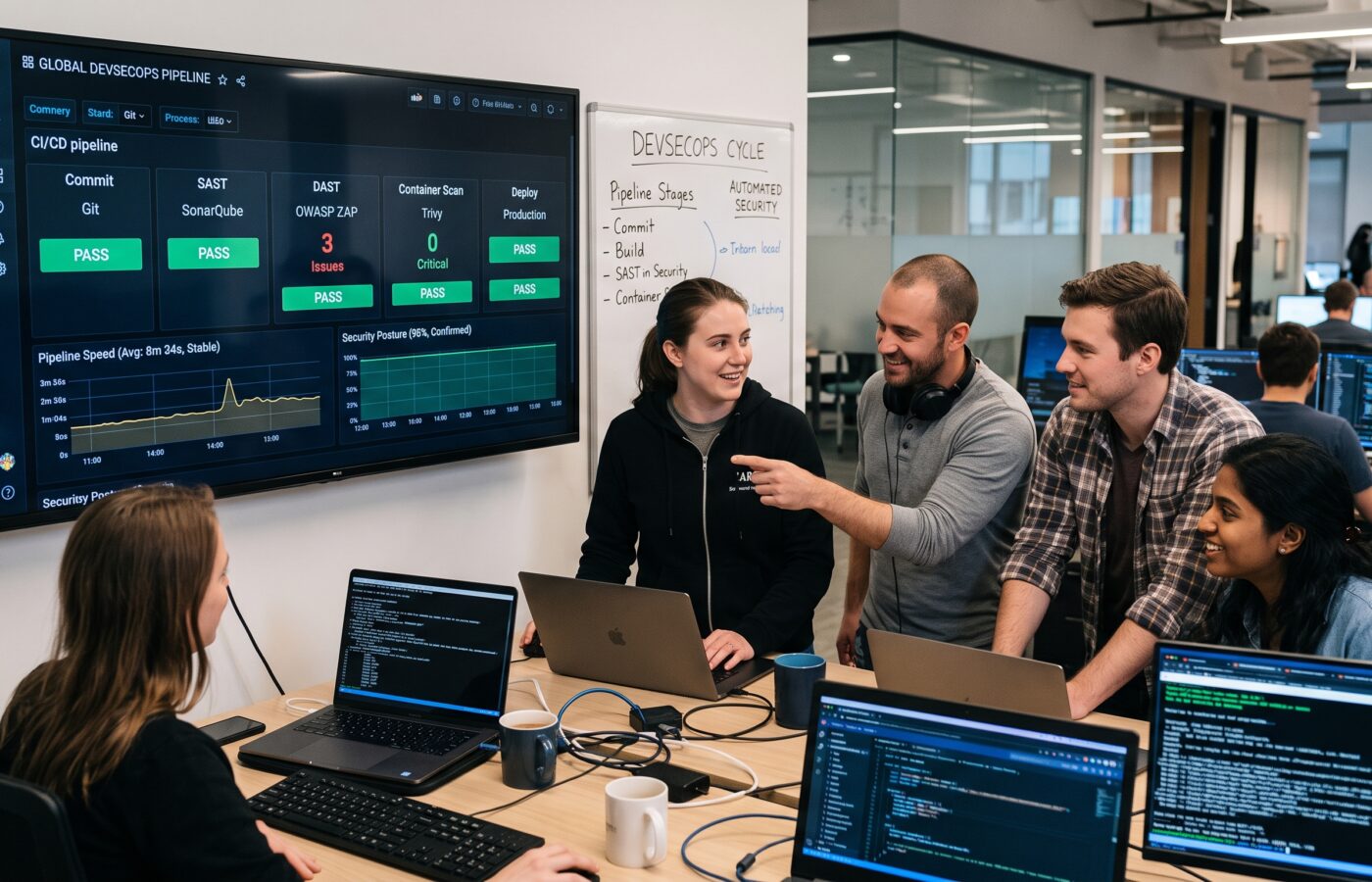
DevSecOps 101: Integrating Security into Your CI/CD Pipeline Without Slowing Down

I still remember the Sunday night call that changed how I think about devops security ci cd pipelines. A client’s release had gone out on Friday afternoon, and a scanner that only ran once a quarter finally caught up with production. It found a hardcoded credential sitting in a config file that had been live for three days before anyone noticed. Nobody on the team had done anything reckless—they had automated tests and fast builds, but security just wasn’t part of the machine.
That gap is the entire reason DevSecOps exists. I’ve spent 14 years designing cloud platforms and CI/CD systems for banks, healthcare providers, and a few startups that grew up faster than their processes did. Over that time, I’ve come to see DevSecOps less as a buzzword and more as a correction. It’s what happens when a DevOps culture admits security has to be built by the same people, in the same pipeline, at the same speed.
This article walks through what that actually looks like for a DevOps team. Not the marketing version — the version you can bring back to your team on Monday.
What DevSecOps Really Means
People often describe DevSecOps as “security built into DevOps.” That’s true, but it’s not very useful on its own. Here’s a sharper way to think about it. DevSecOps replaces a single security gate at the end of a project with dozens of small, automated checks. Those checks spread across the whole delivery lifecycle. They start the moment someone writes code, and they continue long after that code runs in production.
The old model looked like this. Developers wrote code. Testers tested it. Near the very end, a security team ran a scan, filed a report, and sent it back. That model worked fine when releases happened every few months. It falls apart when a team ships several times a day, because a two-week security review simply cannot sit in front of a pipeline built for hours.
DevSecOps fixes this by moving security checks earlier and automating them. They run alongside everything else the pipeline already does — linting, unit tests, build steps. Developers see the results in their own tools, as part of their own workflow, instead of waiting for a report from a separate team.
This isn’t about renaming a security team or bolting a scanner onto an existing pipeline and calling it done. It’s a real change in ownership. Security becomes something engineers do, not something that happens to them.
Why “Bolt-On” Security Breaks Delivery Speed
I’ve walked into plenty of organizations with an excellent DevOps pipeline and a security process everyone quietly resented. The pattern is predictable. A release candidate passes every automated check the team controls. Then it sits in a queue, waiting for a manual security review, because that’s the only integration point anyone ever built.
Feedback Arrives Too Late
This creates two problems, and they compound each other. First, feedback comes far too late. A vulnerability found the day before release is expensive to fix. The developer who wrote that code may have moved on to three other things by then. The context is gone. Now there’s pressure to either delay the release, or ship with a known issue and promise a fix “next sprint.” Everyone in the room knows that promise rarely happens on schedule.
Second, a manual, infrequent review can’t scale with how often the team ships. Teams either slow down to match the review cadence, or they route around it entirely. Neither outcome helps anyone.
The Math Behind Early Detection
The fix isn’t removing the checks. It’s changing when they happen and who runs them. A vulnerability caught while a developer still has the code open takes five minutes to fix. The same vulnerability caught in production can trigger an incident review, a rollback, a patch, a re-deploy, and an uncomfortable call with a client.
Several industry studies on defect economics put the cost of fixing something in production at 30 to 60 times what it would cost during development. The exact multiplier doesn’t matter much. The direction isn’t in dispute: catch it earlier, and it costs less. DevSecOps is really just an operating model built around that one fact.
The Building Blocks of a Secure DevOps Pipeline
A mature DevSecOps setup layers several distinct techniques across a DevOps pipeline instead of relying on one all-powerful scanner. Each one catches a different category of problem.
Static Analysis
Static analysis reads your own source code without running it. It checks for patterns known to cause vulnerabilities — SQL injection, unsafe deserialization, hardcoded secrets — and dozens of language-specific issues beyond those. The scan runs fast, and it works well as a pull request check. Developers get feedback before a single line merges.
Software Composition Analysis
Software composition analysis looks at everything you didn’t write yourself: the open-source libraries and packages your application pulls in. Modern applications are assembled as much as they’re written, often with more third-party code than first-party code. A large share of real-world vulnerabilities live in that dependency tree, not in application logic. This scanning compares your dependency manifest against known vulnerability databases and flags anything with an available exploit or an outdated package.
Secrets Detection
Secrets leak in a specific, common way. Someone commits an API key, a database password, or a cloud token directly into source code. It’s usually an accident, made while debugging something quickly, with plans to remove it later. A secrets scanner catches this at commit time, before it reaches a shared branch. That timing matters. Once a secret hits a remote repository, you generally have to treat it as compromised, even after you delete it in the next commit.
Container and Infrastructure Scanning
Most teams today ship more than application code. They ship container images and infrastructure-as-code templates that define entire environments. A base image with a known vulnerable package is just as dangerous as a flaw in your application logic. So is a Terraform template that quietly opens a storage bucket to the public internet. These issues are easy to overlook because they don’t look like “code” in the traditional sense.
Dynamic Testing
Dynamic testing takes a different approach. It runs against a live, working version of your application, usually in staging. This method probes that application the way an attacker would, sending malformed requests and unexpected inputs to see how the system responds. Dynamic testing catches issues the other methods miss, particularly around authentication flows and how components behave together. It’s also slower, so it typically runs later in the pipeline, closer to deployment.
No single method replaces the others. A pipeline with only static analysis will miss a vulnerable dependency. A pipeline that only scans dependencies will miss a hardcoded secret. The goal isn’t picking the “best” scanner. It’s layering several lightweight checks so different categories of risk get caught at the stage where catching them costs the least.
Mapping Security to Your DevOps Pipeline Stages
Here’s how I typically sequence this for a DevOps team building a pipeline from scratch, or retrofitting one that already exists.
At Commit Time
Before code reaches a shared branch, a lightweight secrets scanner and a fast static analysis pass run as a pre-commit or pre-push hook. This catches the cheapest, most preventable mistakes before they cost anyone anything.
On Every Pull Request
When a pull request opens, the pipeline runs a fuller static analysis pass and a dependency scan against the changed code. Results appear as comments directly on the pull request — the same interface developers already use to review each other’s work, not a separate dashboard nobody checks.
During the Build
As container images get assembled, they get scanned. Infrastructure-as-code templates get checked against policy before anyone can apply them. This is also where the pipeline generates a software bill of materials: an ingredient list of everything in the build. That list becomes invaluable later, when a new vulnerability turns up in some widely used library and you need to know, quickly, whether you’re affected.
In Staging
Once a build reaches a staging environment, dynamic testing runs against it, along with any deeper integration or penetration-style testing the organization requires for higher-risk services. This is the slowest stage, and it’s the one place where a longer check makes sense. It doesn’t block every commit — only the ones heading toward a real release.
After Deployment
Runtime monitoring and configuration checks keep watching the live environment after deployment, because security drifts. Permissions get loosened manually. Certificates expire. A hotfix pulls in a new dependency without going through the normal pipeline. Security in a DevSecOps model doesn’t end at deployment. It just changes shape.
Notice what’s missing from this list: one giant gate. It’s a series of small, purpose-built checks, each placed where it does the most good for the least cost in time.
How to Keep Your DevOps Pipeline Fast
Adding checks to a DevOps pipeline worries a lot of engineering leaders, and that’s a fair concern. A few practices consistently separate a DevSecOps pipeline developers tolerate from one they actively fight.
Scan Incrementally
Configure your tools to check only what changed in a commit or pull request, wherever that’s possible. Save the full scan of an entire codebase for a nightly schedule or a merge to the main branch. A targeted scan belongs on every pull request.
Run Checks in Parallel
There’s rarely a good reason for a secrets scan to wait on a dependency scan before it starts. Most CI systems support running independent jobs concurrently. Stacking security checks one after another in a single queue is one of the most common — and most avoidable — sources of pipeline slowdown I’ve seen.
Set Risk-Based Thresholds
Not every finding deserves to block a build. A critical, actively exploited vulnerability in a directly used dependency should stop the pipeline cold. A low-severity finding buried three layers deep in a transitive dependency, with no known exploit, is a reasonable candidate for a ticket instead. Treat every finding as equally urgent, and teams end up with alert fatigue — and eventually, a habit of clicking through warnings without reading them.
Tune Out False Positives
This drives more tool abandonment than anything else I’ve watched happen firsthand. A scanner that flags the same non-issue in every build trains developers to ignore its output. Once that trust is gone, it’s genuinely hard to earn back. Teams start suppressing the tool instead of fixing the underlying noise, which defeats the entire purpose.
Give Developers Actionable Output
A finding that says “SQL injection risk on line 42,” with no further context, isn’t very useful. A finding that also shows the pattern that triggered it, plus a suggested fix, saves real time. The gap between a five-minute fix and a half-day investigation often comes down to how much context the tool provides the moment someone sees the alert.
None of this is exotic engineering. It’s mostly configuration discipline. Decide in advance what should block a release, and make sure the tooling reflects that decision instead of defaulting to “block everything” out of caution.
The Culture Side Nobody Puts on the Roadmap
Tooling gets most of the attention in DevSecOps conversations. The harder, more durable change is cultural — getting an entire DevOps team to treat security as their own job, not someone else’s. I say that as someone who underestimated it for years.
Security Champions
A security champions model works better than almost anything else I’ve tried. Instead of routing every change through a small central security team, you identify one or two engineers on each delivery team who take a deeper interest in security. They get extra training and become the first point of contact for questions and triage. This scales in a way centralized review never can. It also puts a security-literate voice in design discussions, long before anyone writes code. That’s a far better place to prevent a whole class of problems than any downstream pipeline check.
Blameless Reviews
Blameless review matters as much for security incidents as it does for operational ones. If the instinct after every vulnerability is to find someone to blame, people learn to hide problems instead of surfacing them. A hidden problem is strictly worse than a reported one. A good post-incident review asks how the process let the issue through — not who wrote the line in question.
Ongoing, Specific Training
Training needs to be specific and ongoing, not a single annual video everyone clicks through without watching. Short sessions tied to real findings from your own codebase land better than generic material. Developers can see exactly how the lesson applies to work they own.
Leadership Has to Track It
Leadership has to treat security metrics as part of engineering performance, not a separate scorecard that only surfaces during an audit. Celebrate velocity every sprint, and mention security debt only once a quarter, and everyone in the room understands, correctly, which one actually matters to the organization.
A Realistic Rollout, Not a Big-Bang Rewrite
I generally advise against bolting every one of these practices onto a DevOps pipeline in a single release cycle. Teams that try to do everything at once overwhelm developers with findings. Most of those findings are pre-existing issues with nothing to do with the current sprint. The whole initiative loses credibility within a month.
Start With Report-Only Mode
In the first phase, add secrets detection and basic static analysis to pull requests, running in report-only mode so nothing blocks yet. The goal here is simple: establish a baseline and get developers used to seeing the output.
Move to Targeted Enforcement
Once the noisiest false positives get tuned out, start enforcing hard blocks on critical findings only. Everything else still just gets logged for now.
Expand Coverage Gradually
From here, add dependency scanning and container image scanning, again starting in report-only mode before any enforcement kicks in. Layer in infrastructure-as-code checks and dynamic testing against staging environments next. Only then start tightening thresholds across the board, as the team’s trust in the tooling grows.
What This Looked Like for One Client
A mid-sized fintech client I worked with went through roughly this sequence over a single quarter. One detail stuck with me: pull request cycle time barely moved, staying within about a 14 percent variance of where it started. Meanwhile, the number of vulnerabilities reaching production dropped by more than half. That’s really the whole pitch for doing this properly. Security and speed aren’t actually in tension when the checks are designed well. They only look that way when security gets bolted on as an afterthought.
Common Pitfalls Worth Naming Directly
A few mistakes show up again and again, across different DevOps teams, industries, and tech stacks. That tells me they’re structural, not incidental.
DevOps teams often buy tooling before defining a process. A scanner without clear ownership, thresholds, or an escalation path just becomes another dashboard nobody checks — findings pile up until someone decides to ignore the tool entirely.
Teams also treat every finding as equally severe. That trains people to tune out the tool rather than engage with it. Once that happens, an expensive scanner delivers roughly zero value.
Skipping developer buy-in is another common trap. Roll out enforcement without explaining the reasoning, or without giving developers a voice in setting thresholds, and you breed resentment fast. Resentment pushes people toward workarounds instead of honest engagement.
Finally, plenty of teams forget the runtime side entirely. They build an excellent pre-deployment pipeline and assume the job ends once something ships. But configuration drift, newly disclosed vulnerabilities in already-deployed dependencies, and credential exposure can all happen well after release day. Security has to keep watching after deployment, not just before it.
Measuring Whether It’s Actually Working
These are the metrics that tell a DevOps team whether the program is actually working. Watch mean time to remediate, tracked separately for critical and lower-severity findings. A healthy program fixes urgent issues in days, not months. Watch the share of vulnerabilities caught before production versus after — that ratio is really the whole point of shifting checks earlier.
Track deployment frequency and lead time in the same dashboard as your security metrics. Doing so lets the organization see directly whether the two actually conflict, or whether that tension was mostly a myth. And check developer sentiment, even informally. A quick pulse survey asking whether these checks help or just get in the way tells you more about long-term adoption than any dashboard number.
Closing Thoughts
DevSecOps isn’t really a technology decision, even though people talk about it that way constantly. It’s an operating model that spreads security responsibility across an entire DevOps practice, instead of leaving it to a separate department that catches problems after everyone else finishes.
Done well, DevSecOps doesn’t slow delivery down. It removes a far more expensive slowdown: the one that comes from finding serious issues after code has already shipped. By then, the fix can cost ten times what it would have cost a week earlier.
Start small. Pick the checks that catch the most common and costly issues in your own environment. Get developers comfortable with the feedback loop, then expand from there. The DevOps teams that get this right didn’t buy a more expensive scanner than everyone else. They treated security as part of how software gets built, not as a checkpoint standing between “done” and “shipped.”
Frequently Asked Questions
Is DevSecOps just a rebranding of DevOps with extra tools?
No. Adding a scanner to an existing pipeline is a starting point, not the destination. The deeper change is about ownership: who decides what’s secure, and when. DevSecOps pushes that decision onto delivery teams and moves it earlier. It stops sitting with a separate, later-stage review team. For a broader definition, see GitLab’s overview of shift-left security.
Will adding security scans slow down our releases?
Not if you scope them correctly for your DevOps pipeline. Fast checks — secrets detection, incremental static analysis — belong on every pull request. Slower checks, like dynamic testing, belong later in the pipeline, closer to a release candidate. They shouldn’t run on every single commit. For a practical breakdown of sequencing, see Wiz’s guide to CI/CD security scanning.
Which should we adopt first: static analysis, dependency scanning, or secrets detection?
Secrets detection usually pays off fastest. Leaked credentials are both common and severe, and the tooling to catch them is cheap to run. Dependency scanning tends to catch the largest volume of real-world vulnerabilities after that, since so much of a modern application is third-party code. Palo Alto Networks’ explainer on CI/CD security covers how these categories complement each other.
Do we need a dedicated security team to run a DevSecOps program?
A central team still helps with policy, escalations, and the harder edge cases that come up on any DevOps team. But it doesn’t need to review every change. A security champions model, where individual engineers on each delivery team take on more responsibility, scales far better. The industry recommends this approach consistently. Octopus Deploy’s guide to DevSecOps best practices covers this model in more depth.
How do we handle security findings in code we didn’t write, like open-source dependencies?
Treat it the same way you’d treat a bug in your own code, with one extra option on the table. Patch it, upgrade the dependency, or replace it. If none of those work right away, document the accepted risk with a review date. Don’t let the finding sit indefinitely with no owner. OWASP’s DevSecOps guideline offers useful language for structuring this kind of risk-acceptance process.
What’s a reasonable first metric to track when starting a DevSecOps initiative?
Mean time to remediate for critical findings usually tells you the most early on. It measures whether the loop between “found” and “fixed” actually works, no matter how many tools you’ve deployed. StrongDM’s rundown of DevSecOps statistics makes a useful benchmark against industry norms.
References
Pipeline and Practice Guides
- GitLab — “Shift left security: A complete guide”: https://about.gitlab.com/topics/devsecops/shift-left-security
- Wiz — “CI/CD Security Scanning: Definition and Best Practices”: https://www.wiz.io/academy/application-security/ci-cd-security-scanning
- Wiz — “DevSecOps Pipeline Best Practices For 2026”: https://www.wiz.io/academy/application-security/devsecops-pipeline-best-practices
- Palo Alto Networks — “What Is CI/CD Security?”: https://www.paloaltonetworks.com/cyberpedia/what-is-ci-cd-security
- Octopus Deploy — “Top 10 DevSecOps Best Practices For 2026”: https://octopus.com/devops/devsecops/devsecops-best-practices/
- OWASP Foundation — “OWASP DevSecOps Guideline”: https://owasp.org/www-project-devsecops-guideline/latest/00a-Overview
Statistics and Further Reading
- CrowdStrike — “What is Shift Left? Security, Testing & More Explained”: https://www.crowdstrike.com/en-us/cybersecurity-101/cloud-security/shift-left-security/
- GitGuardian — “Shift Left DevSecOps: How to shift left with DevSecOps?”: https://www.gitguardian.com/glossary/shifting-left-with-devsecops
- StrongDM — “30+ DevSecOps Statistics You Should Know in 2026”: https://www.strongdm.com/blog/devsecops-statistics
- Spacelift — “56 DevSecOps Statistics You Need to Know in 2026”: https://spacelift.io/blog/devsecops-statistics
- AWS DevOps Blog — “Building end-to-end AWS DevSecOps CI/CD pipeline with open source SCA, SAST and DAST tools”: https://aws.amazon.com/blogs/devops/building-end-to-end-aws-devsecops-ci-cd-pipeline-with-open-source-sca-sast-and-dast-tools/